
best-pigment-ink-for-vibrant-colors.jpg

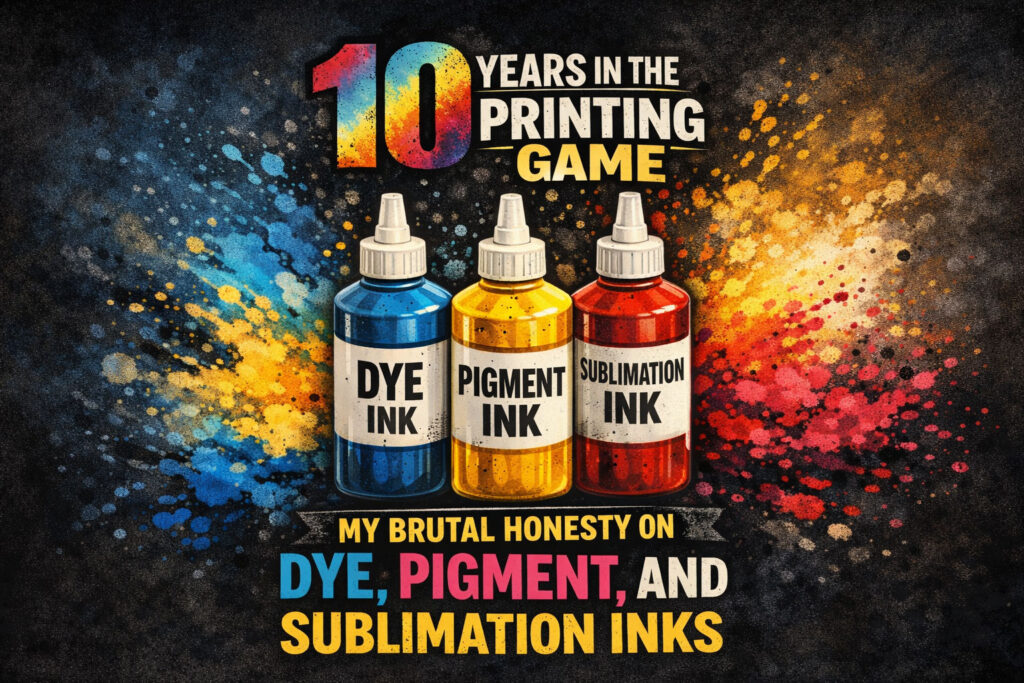
10 Years in the Printing Game: My Brutal Honesty on Dye, Pigment, and Sublimation Inks

After a decade in the printing industry, I’ve seen it all—clogged heads, faded projects, and frustrated clients. I’ve spent a fortune on repairs and wasted liters of ink just trying to get the colors right. If you are starting out or looking to switch brands, here is my honest take on the inks I’ve lived with for the last 10 years. Disclaimer: Before we dive in, please keep in mind that everything shared here is based solely on my personal experience running my own shop for over 10 years. Different environments, printer models, and humidity levels might give you different results, but this is what has worked (and what hasn’t!) for me. 1. Dye Ink: Beautiful, but High Maintenance When I first started, I used CUYI Dye Ink. I was honestly so satisfied with the output—the colors were deep and vivid. This is because Dye ink acts like watercolor; it actually soaks into the fibers of the paper. This is why it looks so amazing on glossy paper, but you have to remember: it isn’t waterproof! The Struggle:My biggest problem with CUYI was the maintenance. If I skipped just a few days of printing, the nozzles would clog. I’d end up wasting more ink on “nozzle cleanings” than on actual projects. One time, I didn’t use it for a month, and I got really worried because it just wouldn’t print. I had to bring it to a technician, and then it happened again a few months later. My Solution:After years of this cycle, I decided to switch to the Original Brand ink. It made my life so much easier because it lessened the repairs. Since it’s just a Dye ink, my advice is: don’t keep jumping between brands. Just stick to the original, and your printer will thank you. 2. Pigment Ink: Finding the Balance Pigment ink is a different beast. Unlike Dye, it’s made of tiny solid particles that sit on top of the paper rather than soaking in. This is what makes it superior for archival documents and stickers—it’s fade-resistant and waterproof. The Brand Battle: CUYI Pigment: Just like their dye ink, the colors are vibrant, but the clogging is a nightmare. You have to print at least once a week or you’ll have a major problem dealing with the head cleaning. Hansol: I tried this because I heard it doesn’t clog. It’s true! Even if I didn’t use the printer for a few weeks, it worked perfectly. But there was a catch: the colors weren’t vibrant enough. I even had a client question a project because the colors didn’t match what I sent them before. BOYE & INKRITE: This is where I am satisfied now. I’m using BOYE and the colors are vibrant, yet it’s safe even if I don’t print for a week. I discovered INKRITE by accident when BOYE was out of stock, and so far, they perform almost exactly the same. Both are my top recommendations. My Pro Tip: Even with “safe” brands like BOYE, don’t push your luck. I still recommend running at least one print a week to keep the ink flowing! 3. Sublimation Ink: The Heat Magic Sublimation is a unique process where the ink turns from a solid to a gas under heat to bond with polyester. My Recommendation:In the beginning, I used CUYI for sublimation, but I had the same clogging issues as their other inks. In this business, downtime is lost money. That is why I switched to Hansol for Sublimation. For this specific type of printing, I am definitely satisfied with Hansol’s performance and reliability. Final Verdict after 10 Years: Dye: Stick to the Original Brand to save on repairs. Pigment: Use BOYE or INKRITE for the best mix of color and safety. Sublimation: Hansol is my winner for a headache-free experience.

10 Years in the Printing Game: My Brutal Honesty on Dye, Pigment, and Sublimation Inks Read More »
From Vision to Reality: Crafting Our A3 Calendar 2025 – A Behind-the-Scenes Journey

Step behind the scenes and discover the passion and dedication that goes into creating our A3 Calendar 2025! In this blog post, we’ll take you on a journey from the initial concept to the final delivery of our crafted calendars. We’ll share the creative process behind our unique designs, the selection of high-quality materials, and the attention to detail that ensures every calendar is a work of art. You’ll get a glimpse into our printing process, where vibrant colors and crisp images come to life on every page. It’s not just about the product itself – it’s about the experience. We carefully package and deliver each calendar, ensuring it arrives safely and ready to brighten someone’s day. Each A3 Calendar 2025 project presents its own unique set of challenges and learning opportunities. From collaborating with clients to understand their vision to navigating the complexities of the printing process, every step provides valuable insights and helps us refine our skills. We learn to adapt to different design preferences, manage tight deadlines, and ensure consistent results across every calendar we produce. There’s an extra measure of happiness when we meet our deadlines. These experiences fuel our drive to constantly improve and innovate. We’re committed to pushing the boundaries of creativity and delivering results that meet our clients’ expectations. Every project is a chance to learn, grow, and create something special. Both the A3 Calendar 2025 and the upcoming A3 Calendar 2026 offer a practical and visually appealing way to organize your schedule. With ample space for writing down appointments, deadlines, and reminders, these calendars help you stay on top of your commitments and manage your time effectively. Whether you use them at home or in the office, our A3 calendars are a valuable tool for staying organized and productive.

From Vision to Reality: Crafting Our A3 Calendar 2025 – A Behind-the-Scenes Journey Read More »

Why Bleed and Cutting Guides Are Essential in Print Layouts

Why Bleed and Cutting Guides Are Essential in Print Layouts When preparing a design for printing, two crucial elements must be considered: bleed and cutting guides. These features prevent unwanted white edges, ensure precision in trimming, and maintain the integrity of your design. Let’s dive into why they matter and how to set them up correctly in your print projects. What Is Bleed in Printing? Bleed refers to the extra margin added beyond the final cut size of your design. This ensures that the artwork extends past the trimming area, preventing any white borders from appearing due to slight misalignment during cutting. ✅ Standard bleed size: Typically 3mm (0.125 inches) beyond the final document size.✅ Why it matters: Printers may have slight shifts when trimming, so bleed guarantees edge-to-edge coverage without gaps. How Cutting Guides Ensure Accuracy Cutting guides, also known as crop marks or trim lines, indicate where the printer should cut the design. These guides help maintain proper alignment and ensure that the final print matches the intended size. ✅ How to set up cutting guides: Add crop marks to show trimming lines. Keep important text and graphics at least 5mm (0.2 inches) away from the cut line to avoid accidental cropping. Ensure the safe zone is followed, keeping key elements inside the print area. The Impact on Print Quality Without proper bleed and cutting guides, your prints may end up with uneven edges, white borders, or missing design elements. Whether you’re printing business cards, flyers, posters, or brochures, these adjustments make a significant difference in achieving a professional and polished finish. Easy Business Card Layouts with Canva Templates To simplify the design process, I’ve created ready-to-print Canva templates that offer:✅ Bleed & No-Bleed Options – Choose the setup that fits your printing needs.✅ Drag & Drop Feature – Easily place your images for quick layout adjustments.✅ Instant 10-Outs for Business Cards – Generate print-ready layouts in seconds! 🚀 Download the file and start designing effortlessly! Click here to get your free template. Final Thoughts Setting up bleed and cutting guides properly ensures that your designs look flawless when printed, with no unwanted edges or inaccuracies. Always check print specifications before submitting artwork to a print shop for the best results. #PrintingTips#BleedAndCuttingGuides#PrintLayoutEssentials#GraphicDesignPrinting#ProfessionalPrintingSetup#PrintShopExpertise#HighQualityPrintDesign#BleedForPrintDesign#PrintLayoutOptimization#CuttingGuidePrecision#CropMarksForPrinting#EdgeToEdgePrinting#SafeZoneInPrinting#PerfectPrintFinishing#PrintProductionTips#CustomPrintLayouts#DesignLikeAPro#PrintSetupPerfection#BusinessCardPrintingTips#CanvaTemplatesForPrinting

Why Bleed and Cutting Guides Are Essential in Print Layouts Read More »